How to Quiz Yourself on New Words with a Practice Widget and Word Games
Learn a new word every day
Free on iOS & Android

Quiz yourself on the words you are learning with the Vocabulary practice widget and word games, then track your progress on the stats screen.

To quiz yourself on new words, open the Practice tab in the Vocabulary app to play the word games, and add the practice widget to your Home Screen to get a question without opening the app. The games adapt their difficulty to your progress and keep stats on the words you learn.
This guide shows how to start a game, how the practice widget and practice reminders work, and how to read your stats. You need the free Vocabulary app.
What kinds of practice does Vocabulary offer?
The app has quiz-style games that test definitions, usage and synonyms, with difficulty that adapts as you improve. Choosing the right meaning from a few options is the format shown in the App Store screenshots.
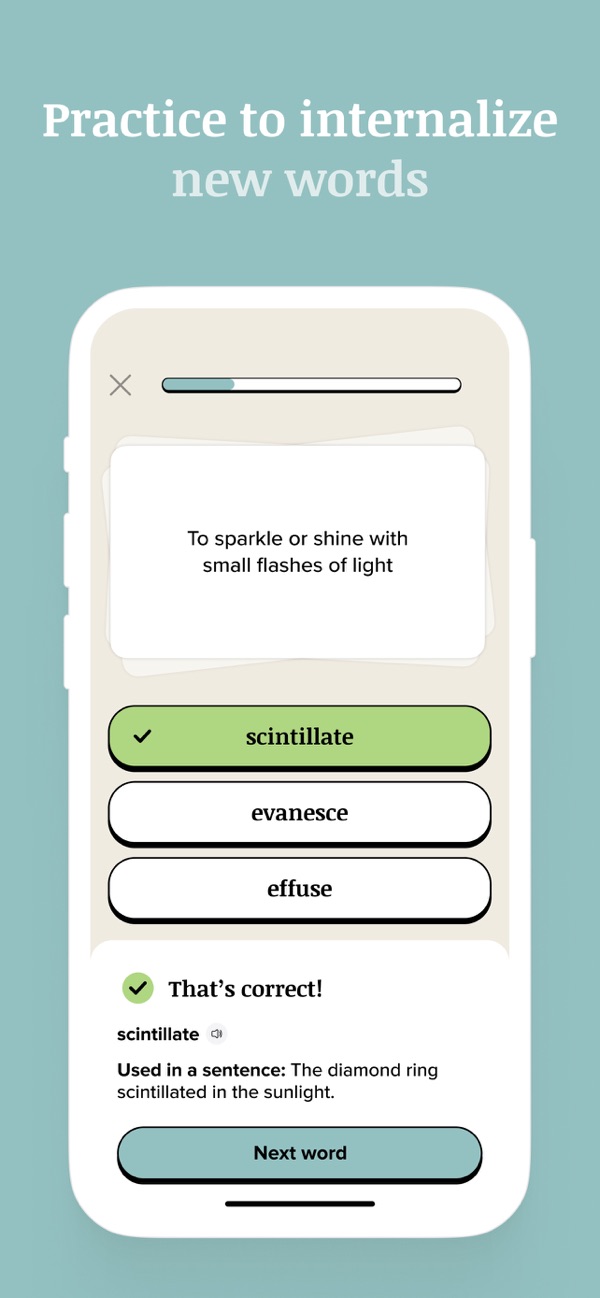
Practice reaches you in three other ways: the practice widget, the Do you know notifications that open a one-word game, and a bottom sheet in the app that suggests a game using words from your recent content.
Why quizzing beats re-reading a word list
Trying to recall a meaning before you see the answer is the part that makes a word stick. Games turn that recall into a two-minute habit. Pair it with the daily words from your reminders and the word widget.
How to practice new words, step by step
1. Open Practice from the bottom bar
The practice section is in the main navigation at the bottom of the app.
2. Start a game
Pick a game and answer by choosing the right meaning or synonym. You see right away whether you were correct, and the app shows the word used in a sentence.
3. Adjust your practice settings
Open Profile, then Settings, to set your game preferences and difficulty.
4. Add the practice widget
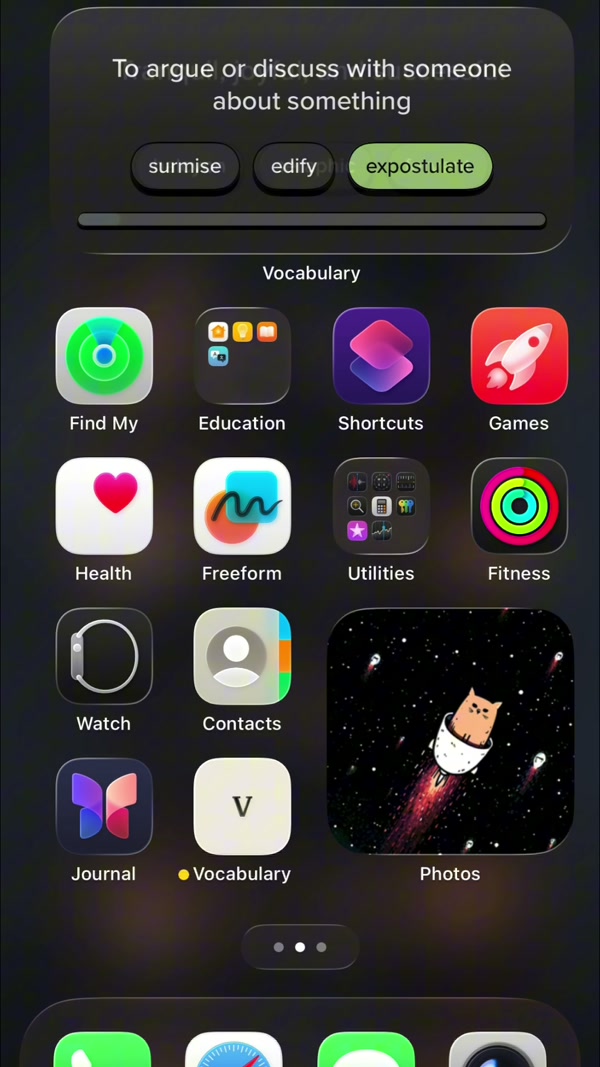
Press and hold your Home Screen, tap +, search for Vocabulary and choose the practice widget to get a question each time you look at your phone.
5. Say yes to practice reminders
Practice has its own reminders: a nudge a few days after your first session, then a daily one at your preferred time. Press and hold the notification and choose Start practicing to jump in.
6. Check your stats
The stats screen, the chart icon at the bottom right, shows your streak and progress, including words learned and accuracy.
7. Learn the words you miss
For words you miss, open the pronunciation (six voices with different accents) and, with premium, the word details: examples, synonyms, origin and etymology.
Frequently asked questions
Is the Vocabulary practice mode free?
Premium adds word details, every category and advanced widget customization. Check the paywall in your app version for exactly which practice features it covers.
What is the practice widget?
It is a Home Screen widget that puts a vocabulary question in front of you without opening the app. Add it from the widget gallery by searching for Vocabulary and choosing the practice widget.
How does the game know my level?
Difficulty adapts to your progress, and the app tracks words learned and accuracy on the stats screen.
Can I practice words I added myself?
You can add your own words to learn. Pronunciation and word details are only available for words included in the app, not for custom words.
